Odd Hub
From one idea to a finished post.
Lay a video out as blocks on one canvas. Each block hands its work to the Odd Studio tool built for it. Then you edit and schedule the post in the same app.
One-minute tour of the app
Recorded in the app, no sound. The finished piece's pictures, voice and clips were made beforehand and brought in from files and the library. Waiting time is cut.
What makes it different
Each step goes to the right tool
OddPen writes, Vox voices, Image and Video Studio make the pictures and clips.
From idea to post, block by block
Pick the character, name the piece, and choose Video, Pictures or Voice.
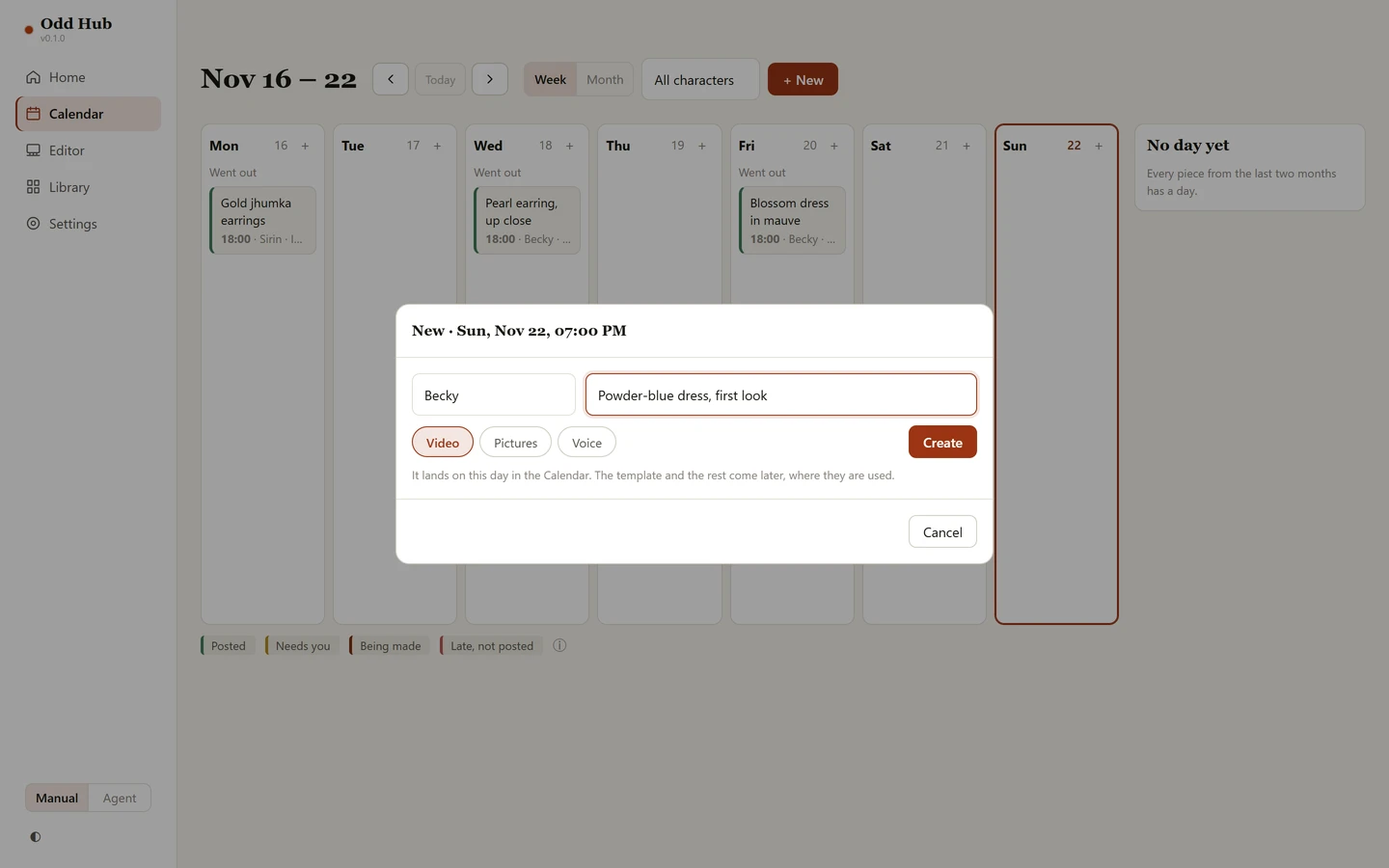
The day, the template and the rest come later, where they are used.
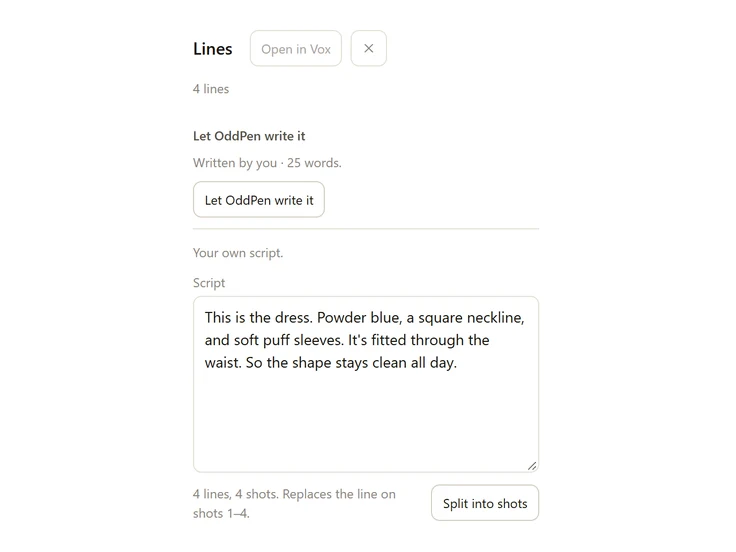
Paste your own script, or give OddPen a video or article link. Vox voices every line.
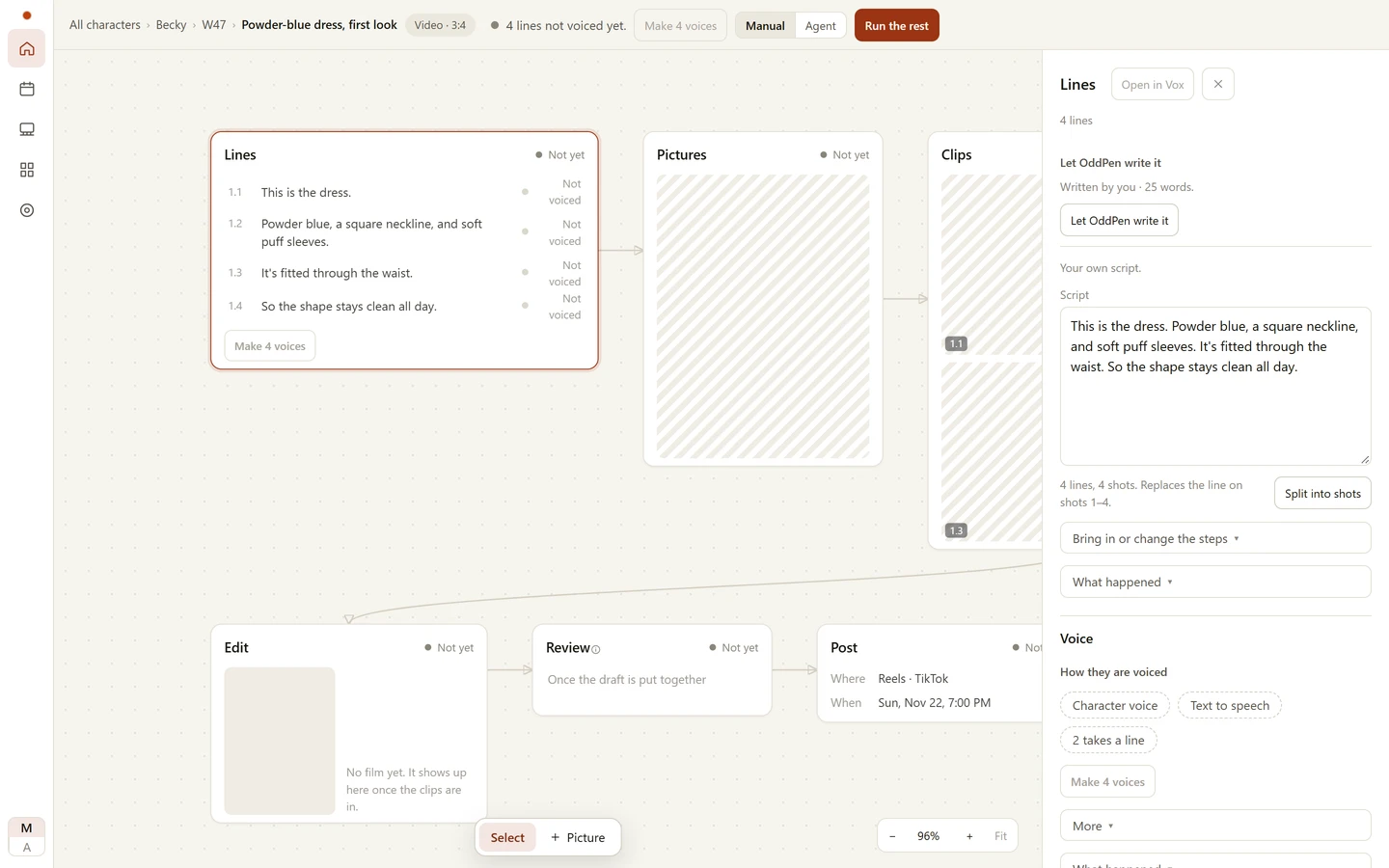
“This is the dress. Powder blue, a square neckline, and soft puff sleeves. It's fitted through the waist. So the shape stays clean all day.”
- One line per shot. Your script is split for you, and OddPen never overwrites what you wrote.
- Retell it or give your take. OddPen tells the source in the character's words, or gives the character's own opinion.
- One more take. Not happy with a line? Ask Vox for another.
Image Studio makes the pictures and Video Studio turns them into clips. Or drop in your own.
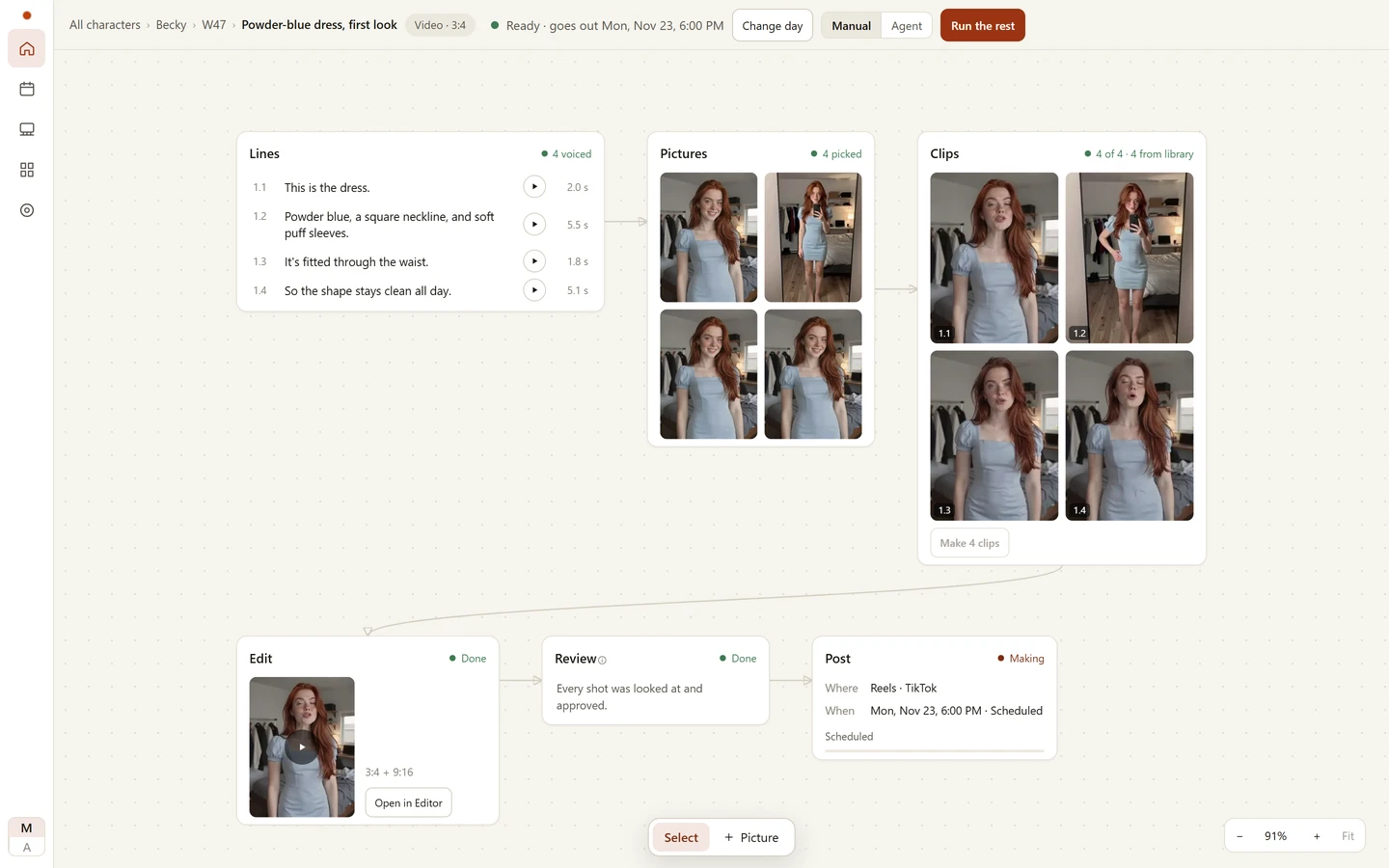
Files you drop in land on the shot whose number is in the file name.
- Five clip kinds. Talking head, picture that moves, motion transfer, first and last frame, and text only.
- Redo one. Redo a single picture or clip without touching the rest.
- Online, if you choose. Pick an online model for a block or shot and check the price before it runs.
A full editor is built in. Everything the tools made is already waiting in Media.
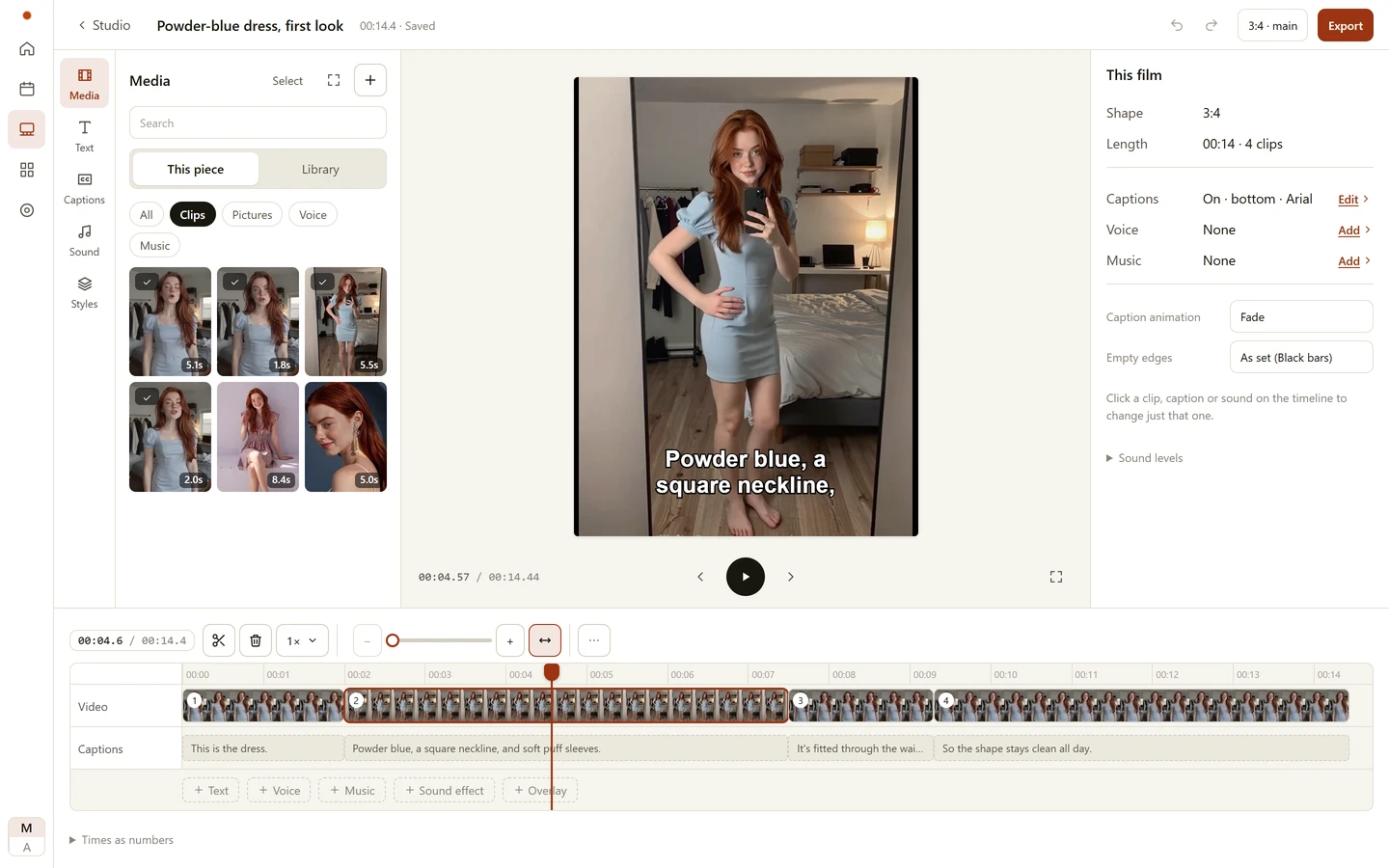
- Captions already timed. Timed to the script and the voice. Fix any line by hand.
- Five panels. Media, Text, Captions, Sound and Styles.
- Seven tracks. Text, overlay, video, captions, voice, music and sound effects.
- Six shapes. 9:16, 3:4, 1:1, 4:5, 16:9 and 2.39:1, with framing kept per shape.
- Sound. Music goes quieter while someone talks. Even out loudness for TikTok, Reels and Shorts.
Review every shot, then give the post a day and time.
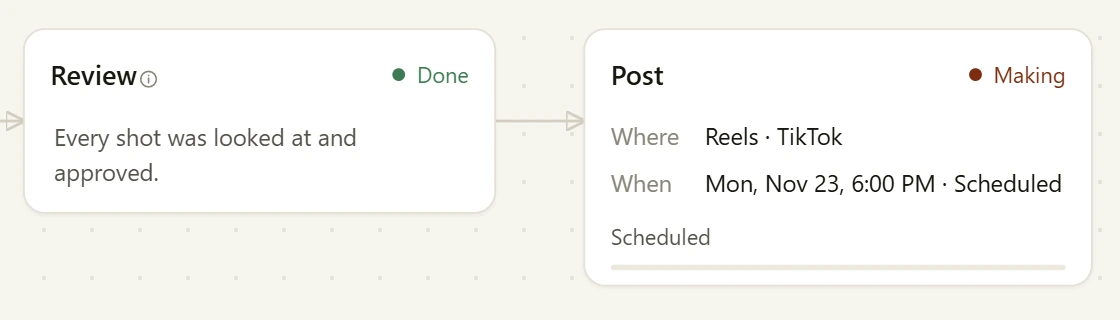
- Review every shot. Redo what is off, then approve all.
- A checked file. Each export is checked for black frames, silence and voice length.
- The post. A cover, the caption and hashtags, with a character count for YouTube, Instagram and TikTok.
- Your call. You post it yourself, or it goes out through a Zernio account you connect.
Calendar
Every character's week. Drag a piece to another day to move it.
Manual or Agent
Run each block yourself, or let Agent work through your plan.
Run the rest
One click queues everything a piece still needs.
Library
Everything the tools made, plus your own files, in one place.
Bring your own
Your script, voice files or pictures, matched by shot number.
Open in the tool
Jump into any tool. The result comes back to the block.
Hub plans it. The tools make it.
In Settings, choose where Image Studio makes pictures and where Video Studio makes clips. Anything that costs money asks first.
This computer
The tools run on your own computer and graphics card. Nothing to pay per run.
AvailableOnline service
Online models on your own key, in Image Studio and Video Studio. Check the price before you run.
AvailablePosting
You post it yourself: copy the caption, open the platform, and upload the file. Or it goes out through a Zernio account you connect.
Your choiceNo models ship with Odd Hub. You pick them in each tool, which shows each model's license first.
Odd Hub
Launch price for the first 50 orders.
One-time purchase
Coming soon Get notified when it opensIncluded
- All five tools. OddPen, Vox Studio, Image Studio, Video Studio and Character Studio.
- 12 months of updates for Odd Hub and every tool in it. After that, updates are $149 a year if you want them. The apps keep working either way.
- Optional: Setup help (coming soon), a remote install and a month of support, +$99.
Requirements
- Windows 10 or 11
- Each Odd Studio tool you use, installed on the same computer
- A graphics card as listed for each tool, or online models on your own key in Image Studio and Video Studio
Questions
Do I need the other tools?
Yes, and they come with it. Odd Hub includes OddPen, Vox Studio, Image Studio, Video Studio and Character Studio. Hub hands the work to each tool, so the tools you use need to be installed. Faces you train in Character Studio reach Hub through Image Studio.
Is this a subscription?
No. You pay once and get 12 months of updates for every tool. After that, updates are optional, and the apps keep working if you don't renew.
Does it post for me?
Only if you connect a Zernio account. Then the post goes out through Zernio at the planned time. Otherwise you post it yourself: copy the caption, open the platform, and upload the file.
What does Agent mode do?
It works through the blocks in order and stops for you to review. It follows your plan and makes no decisions of its own. It never posts, spends money, or deletes anything. You can switch back to Manual at any time.
Can I bring my own script, voice or pictures?
Yes. Paste your own script, or drop in voice files and pictures. Each file lands on the shot whose number is in its name. You can also pull a finished clip from your library.
Are the AI models included?
No. Each tool lets you choose which models to download, and each one shows its license first.
More guides on the blog.