
Character Studio
Train your character once. Keep the face.
Bring 20 or more pictures of one character, or describe one and let the app make them. It writes the captions and trains a character model (LoRA) on your own graphics card, ready to use in Image Studio.
The app, step 1
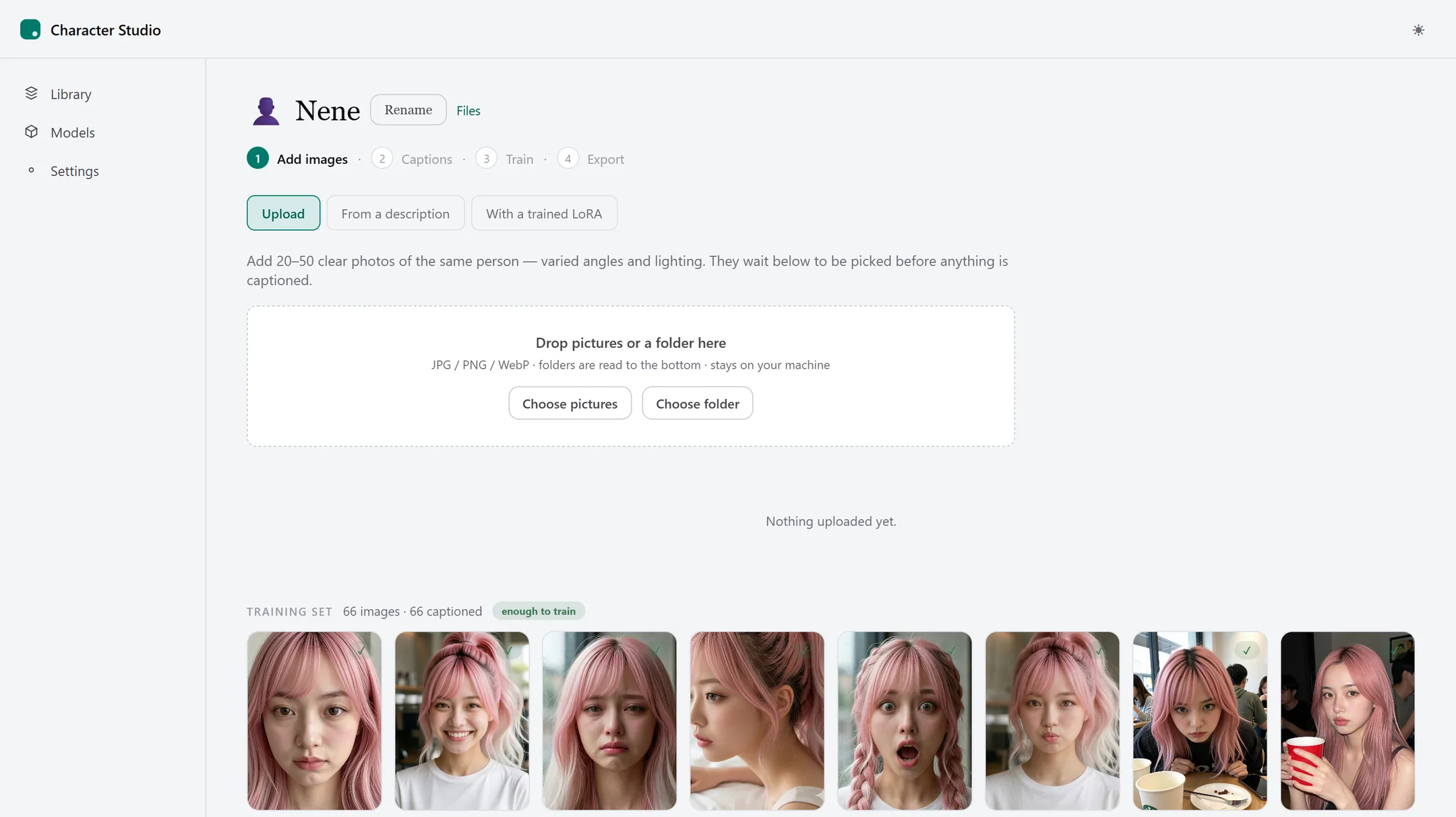
What makes it different
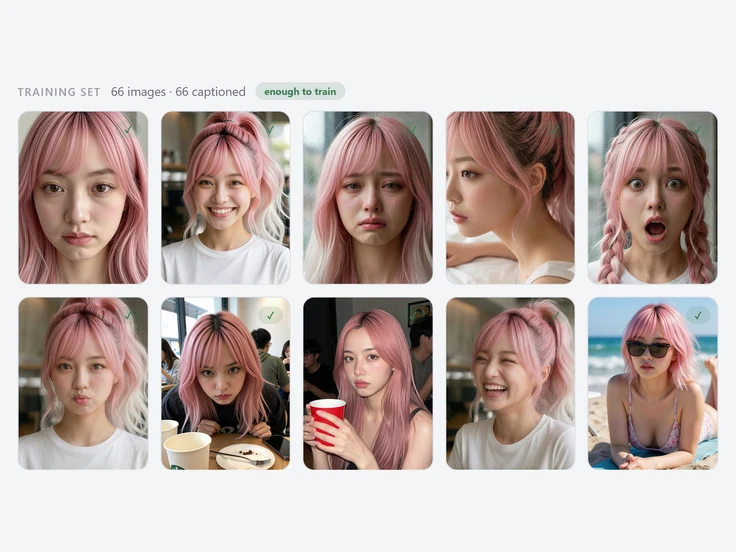
No photos needed
Describe a character. It makes a face, then angles, expressions and full-length shots of it.
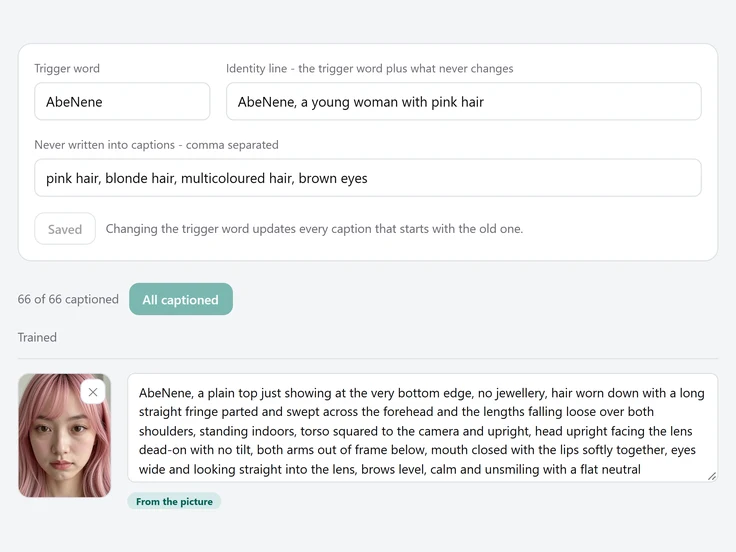
Captions written for you
One per picture, each starting with your trigger word. Edit any line.
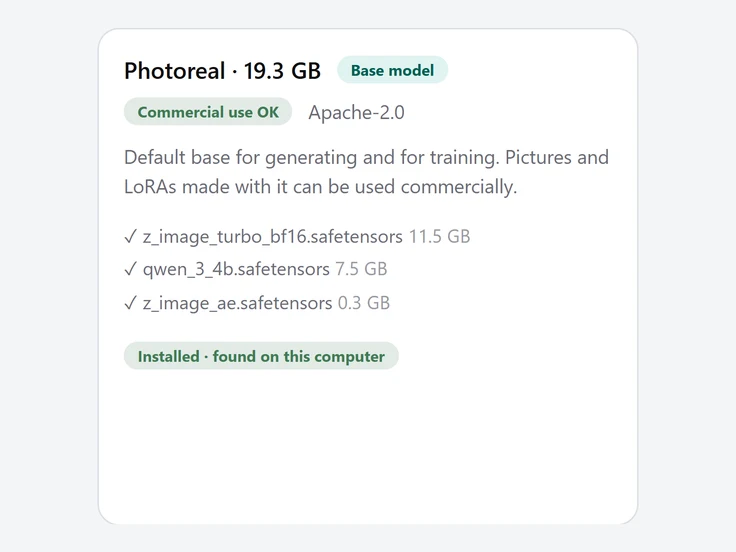
Trains on your own card
Nothing is uploaded. Start it at night, see check pictures in the morning.
Made for Image Studio
Export the trained character, then drop it into Image Studio.
Four steps, from pictures to a model
Three ways in. Nothing reaches training until you pick it.
- Upload. Drop pictures or a whole folder. JPG, PNG and WebP. They wait in a pick area first.
- From a description. Make 1 to 12 first pictures and pick one. Then 8 shot types keep that face: close-up, angles, expressions, hairstyles, half-length, back view, full-length and life scenes.
- With a trained model. Make more of a character you trained before: half-length, full-length, back view, seated, lying down and scenes.
- At least 20 pictures. The set shows a count and tells you when it has enough to train.
Set the trigger word once. Every picture gets its own caption.
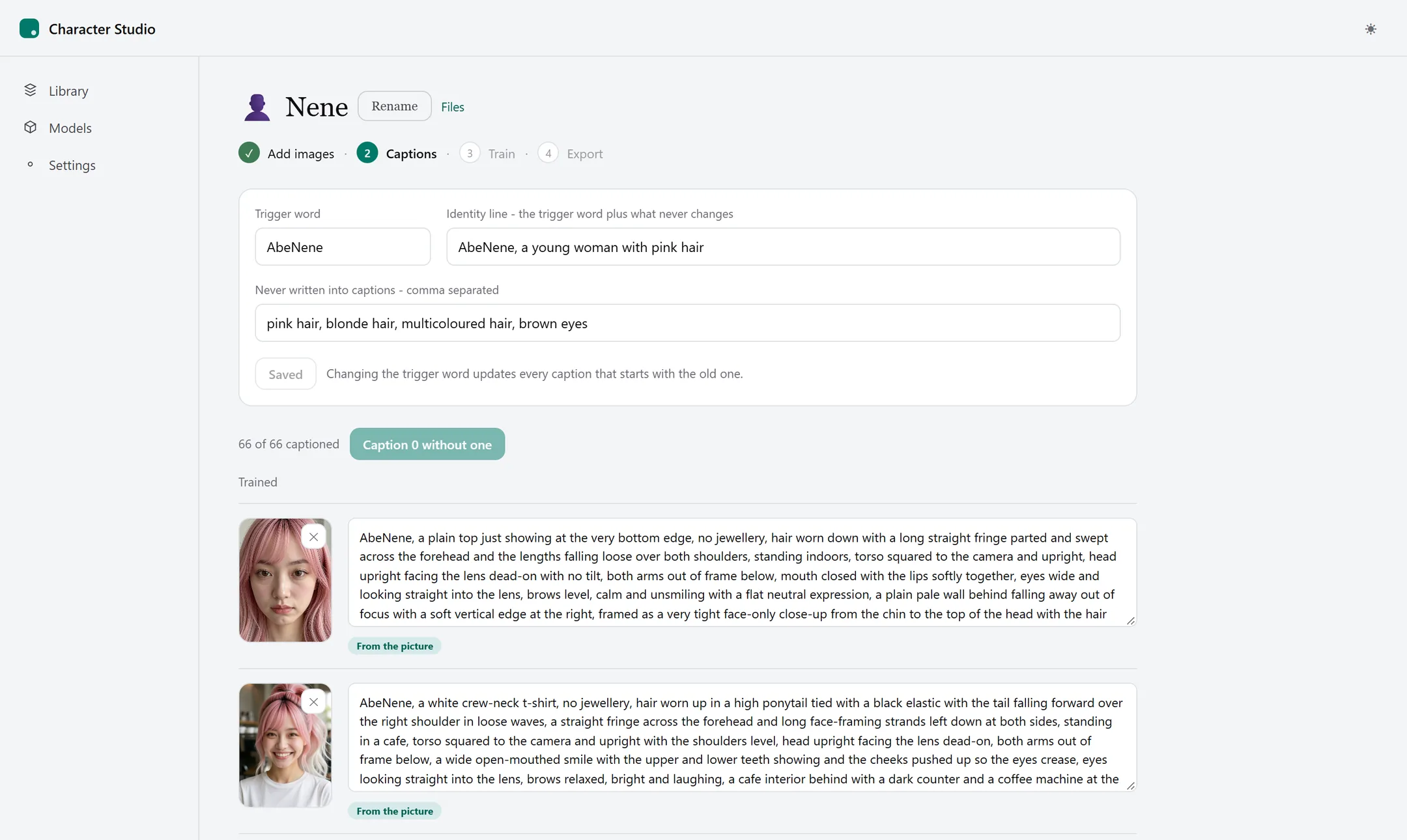
On screen: 66 of 66 captioned. Traits that never change, like hair color, stay out of the captions, so the model learns them as part of the face. Automatic checks flag the captions that need a look.
Training runs in the background on your graphics card.
- A few hours. One measured run took 4 hours 10 minutes on a 16 GB card.
- Close the window. Progress, time left and a live log are there when you come back.
- Check pictures. When it ends, the app makes 4 pictures with the new model, so you see the result first thing.
- Plain warnings. If training runs slow or the card runs out of memory, it tells you in plain words.
One click exports it. Add it to your character in Image Studio.
- Export for Image Studio. The model file carries the trigger word and identity line with it.
- In Image Studio, open the character, choose Add LoRA and pick the file.
- The license goes with it. The export records the base model's license and whether commercial use is allowed.
- Keep as many as you like. Each model is a file on your disk.
Train a style
15 or more pictures with one look, for Image Studio's Style slot.
Edit every prompt
Change one picture's words and make it again, with the seed shown.
Enlarge
A 2× copy by pure upscaling, so the face can't change.
Minor characters
Mark a character as a minor, or the app spots it, and body shots turn off.
One job at a time
Shares the card with the other Odd Studio apps, never at the same time.
Files
See what each character takes on disk, and clear what's safe to clear.
On your own graphics card
Making pictures, captions and training all run on your computer.
This computer
NVIDIA card with 16 GB. Pictures are made with Image Studio's picture engine, so Image Studio is needed on the same computer. Your pictures stay here.
AvailableA GPU you rent
Training only, for when your card is too small. Built into the app, not open yet.
ComingModels and licenses
| Base model, on your card | Z-Image Turbo | Apache-2.0, commercial use allowed. About 21 GB. You train on it and make pictures with it. Shared with Image Studio, so nothing downloads twice. |
| Editor, on your card | Flux.2 Klein 9B | FLUX Non-Commercial License v2.1. About 18 GB. Makes the angle, expression, outfit and scene shots from one face. You accept its license on Hugging Face and fetch it there. Without it, making pictures and training still work. |
No model ships with the app. Each one shows its size and license before you download it. You pick the license, and you are responsible for how you use it.
Character Studio
One-time purchase, add-on for Image Studio
Sold to Image Studio owners only, because it uses Image Studio to make pictures. Odd Hub includes both.
Coming soon Get notified when it opensIncluded
- 12 months of updates. After that, updates are $29 a year if you want them. The app keeps working either way.
- Use it on 2 computers.
- Optional: Setup help (coming soon), a remote install and a month of support, +$99.
No Image Studio yet? Image Studio is $149.
Requirements
- Image Studio, on the same computer
- Windows 10 or 11
- NVIDIA graphics card with 16 GB
- About 21 GB of disk space for the base model, plus 18 GB for the optional editor
Questions
Do I need Image Studio?
Yes. Character Studio is an add-on for Image Studio and needs it to make pictures. It is sold only to Image Studio owners, and Odd Hub includes both.
Is this a subscription?
No. You pay once and get 12 months of updates. After that, updates are $29 a year if you want them, and the app keeps working if you don't renew.
How many pictures do I need?
At least 20 of the same character, with a mix of close-ups, angles and full-length shots. The app can make the set for you from a description.
How long does training take?
A few hours. One measured run took 4 hours 10 minutes on a 16 GB NVIDIA card. Training runs in the background, so you can close the window and come back.
Are there limits I should know about?
While it trains, the graphics card is busy, and the other Odd Studio apps wait their turn. Making shots from a description needs the editor, which is non-commercial.
Whose pictures can I use?
Pictures of yourself, of people who agreed, or of characters you made. Never train on someone without their permission. For a character marked as a minor, body shots are turned off.
Do I own the model I train?
The model file is on your disk and yours to keep. What you may do with it also depends on the license of the base model you trained on. The app shows that license before you download, and records it in the export.
More guides on the blog.