
Vox Studio
Any voice, speaking in seconds.
Pick a ready-made voice, or clone one from a few seconds of a recording. Paste a script and Vox reads it on your own graphics card. There is no training step.
One-minute tour of the app
Recorded in the app, with sound. Waiting time is cut. The mood button around 0:30 comes from an engine that is not in the current release, and the rented GPU at the end is not open yet.
What makes it different
Make a voice. Make it talk.
Three ways to start. None needs training.
- Design a new voice. Pick from 26 ready-made English voices, blend two with the Mix slider, and set the speed.
- Use a real recording. Paste a video link or upload a file. Vox takes a clean 3 to 10 seconds of speech.
- Describe a voice. Write a few words about who is speaking: age, tone, pace. An optional add-on.
- Use only recordings you have the rights to.
Choose the language, then type or paste up to 30,000 characters.
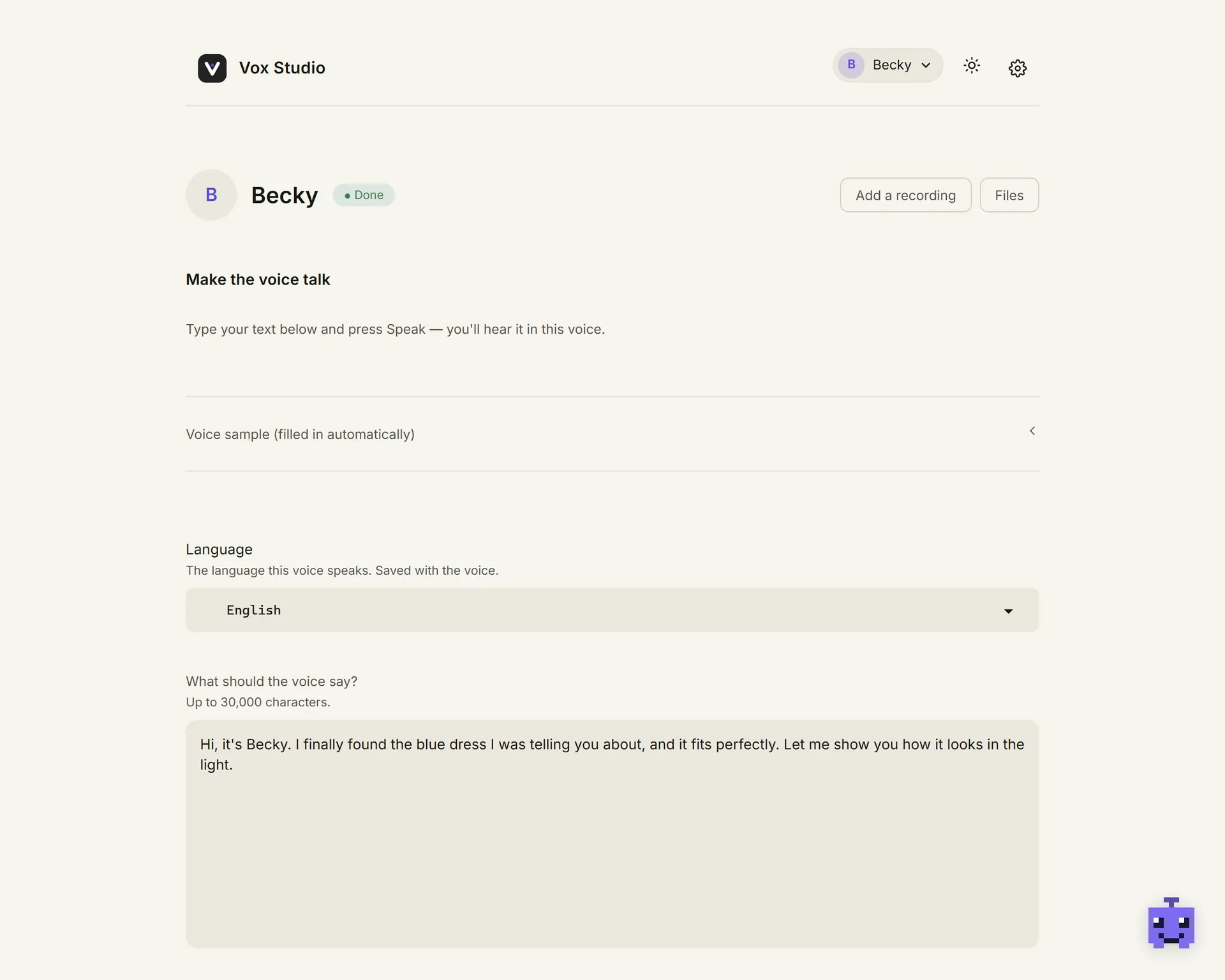
Long text is split automatically. Intensity sets the feeling: low is intimate, high is animated.
Play the take line by line. Redo only what is off.
- Every sentence gets its own play and Redo button.
- Give one line its own Intensity: Intimate, Neutral, Warm, Lively, Animated or Max.
- Press Update the audio above, and the full take re-stitches.
- Every other line stays as it was.
Trim the take and save it as WAV.
- Cut at the playhead, or split into one clip per sentence.
- Export the clips, or save the edited take.
- Change the speed from 0.7× to 1.1× without changing the pitch.
- Ready for your video editor.
Perform it yourself
Record the line. Your timing stays, only the voice changes. For designed voices.
Add a delivery
Upload someone reading a line the way you want it read.
Video links
YouTube, TikTok, Instagram, X, Reddit, Vimeo, Bilibili and Xiaohongshu.
English and Chinese
Each voice speaks the language you save with it.
Files
Move your files to another drive, or free up space.
Works with Odd Hub
Hub orders arrive here. Each take goes back with word timings.
Runs on your graphics card
No online voice service, no API key, no usage bill.
This computer
NVIDIA card with 8 GB or more. The speech engine itself uses about 4 GB. Your voices and audio stay on your computer.
AvailableA GPU you rent
For when your card is too small. Built into the app, not open yet.
ComingModels and licenses
| Speech engine | Chatterbox (Resemble AI) | MIT. About 4 GB of graphics memory. |
| Preset voices | Kokoro-82M | Apache-2.0. About 330 MB. |
| Singing add-on | seed-vc, with a vocal separator | GPL-3.0. 2.5 GB. |
| Describe a voice add-on | Qwen3-TTS VoiceDesign | Apache-2.0. 9.2 GB. |
No model ships with the app. On first run, setup downloads the speech engine, the preset voices and the audio tools. The two add-ons are your choice, in setup or later in Settings, and each shows its size and license first. You are responsible for using each model within its license.
Included
- 12 months of updates. After that, updates are $49 a year if you want them. The app keeps working either way.
- Use it on 2 computers.
- Optional: Setup help (coming soon), a remote install and a month of support, +$99.
Requirements
- Windows 10 or 11
- NVIDIA graphics card with 8 GB or more
- Disk space for the models and add-ons you install
- Speaks English and Chinese
Questions
Is this a subscription?
No. You pay once and get 12 months of updates. After that, updates are optional at $49 a year, and the app keeps working if you don't renew. You can try it free for 24 hours first.
How long a recording do I need?
A few seconds of clear speech. Vox takes a clean 3 to 10 second stretch from the recording you give it.
Do I need training time?
No. A new voice is ready to speak as soon as you create it.
Whose voice can I use?
Your own, a voice you designed, or a recording you have the rights to. Don't copy anyone's voice without their permission.
Which languages does it speak?
English and Chinese (Mandarin). The 26 ready-made voices are English, with American or British accents.
Are there limits I should know about?
One voice per take, so no multi-speaker dialogue yet. Export is WAV only.
Does my data leave my computer?
No. Vox goes online only for the first-run downloads, license checks, updates and any link you paste.
More guides on the blog.